Here is a list of sites where download PC games from around the world. You can visit the site to download thousands of games available. To fill the spare time it would not hurt your game play.
enjoy it!
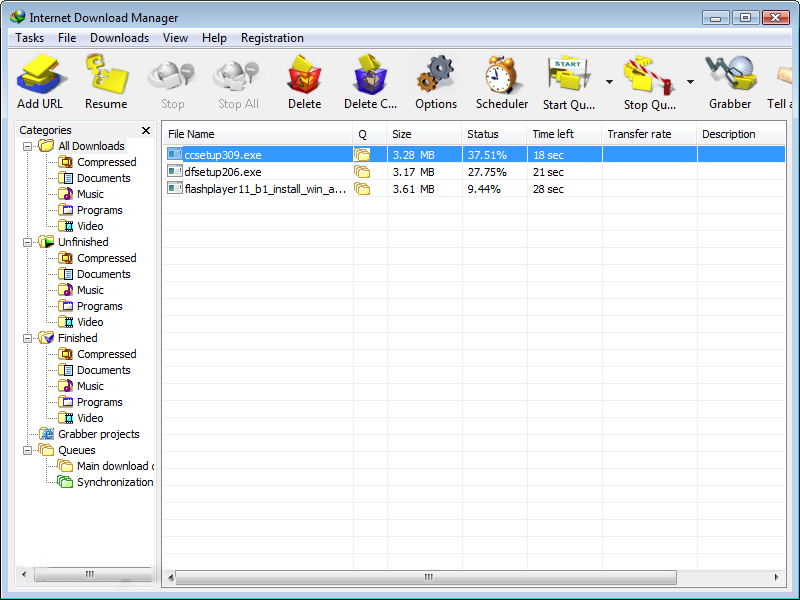
Download Free IDM 6.15 Build 7 Use Forever With Serial Key
Download Free IDM 6.15 Build 7 Use Forever With Serial Key : Internet Download Manager is a tool to increase Download Speeds by up to 5 times, resume and schedule downloads.Free Download now and Install Internet Download Manager 6.15 Build 7
Download Driver Finder 3.2.0.0
Driver-finder is surely an advanced new driver scanning, modernizing and installing utility intended for Windows-based Computers.
Learn Networking Corce in Urdu Full Book
All of this content is sample tyr to replace these content every slider to your content descriptions. Go to Blogger edit html and find these sentences. Now replace it.
Manually delete .Lukitus File Virus
All of this content is sample tyr to replace these content every slider to your content descriptions. Go to Blogger edit html and find these sentences. Now replace it.
Complete and capable data recovery software for rescuing files under almost any conditions including: accidentally deleted files; damaged or formatted hard drive; lost/deleted partition; photo or video lost from local drive, memory card, or camera; file lost from mobile phones, etc.>Recover data from both local drives and mobile storage devices>Recover documents, emails, photos, videos, audio files and more>Recover 1 GB data for free with the Free Edition Free data recovery software to recover lost deleted photo, video, file, partition, document from hard disk, memory card, flash drive on Windows and mobile phone. Four different data recovery modes are integrated for rescuing files under almost any conditions including: accidentally deleted files, damaged or formatted hard drive; lost or deleted partition; photo or video lost from local drive, memory card, camera; file lost from mobile phone etc. Recover total 1GB data for free.
Tenor share Data Recovery Non recreational is the delegate type of the Tenor share Assemblage Retrieval Standardized which is designed for sick photos, videos, documents, etc., with spreading specified as articulate, excel, rar, jpg, png, rmvb, zip, mp3, mp4 and so on, that are mistakenly deleted from various store devices equivalent extraneous granite like drive, USB twinkle swing, memory cards.
It not exclusive recovers accumulation from semihard propulsion, USB moment mean, etc. with FAT12, FAT16, FAT32, NTFS record system, but also supports Mac line group ( HFS, HFS+ ), and Linux record scheme ( EXT2, EXT3 ). What’s more, with the assign writing, collection could be recovered within several clicks. For all these reasons, Tenor share Aggregation Effort Grownup rapidly becomes a exceeded pick for users of plate, job and enterprise. Free Download Tenoshare Data Recovery Pro Full Version
Tips Followers
- HDD Recovery Pro dissenter program to disk and data recovery. It
allows you to recover data from damaged hard drives, file systems and
partitions. The application presents a high-level algorithms , which
allows to locate sponsorship and upgrade it from any type of storage
devices that are formatted, including sections FAT, NTFS, and Linux. What's New in This Release: * Export
Wizard. Recovered files can be saved to any hard aspiration (HDD or
SSD), including network storage, burned in metaphor to CD or DVD or
uploaded more than FTP. * Pre-recovery
Live Preview displays recoverable files since you get. Live Preview
supports: documents, images, chronicles, audio and video files, e-mail
files, databases, into the future happening files, CriptoDisk format and
Virtual Disks. * Smart Search
prioritizes the recovery of documents, archives and pictures on peak of
all else, ensuring the recovery of vital opinion. Smart Search supports
far and wide and wide along than 250 file formats. DOWNLOAD FROM HERE How to install: 1. Run the setup, install the program 2. Use Key to activate program 3. Enjoy full version! To download HDD Recovery Pro 4.1 with Key click the 'Download' button below.
DriveImage XML is a lightweight alternative to the more bulky competition
From viruses and software bugs, to hardware failure or human error,
there are many potential dangers waiting to trash your files.
And
if the worst happens - you lose personal photos, your music library,
important business documents - then that could be a real disaster. Which
is why it's a very good idea to back up your PC on a regular basis.
This
is never going to be fun, of course, but with the right software it'll
be easier than you think. And you may not have to spend anything,
either, because there are some great free backup and disk cloning tools
around.
Whether you want to copy the contents of your Documents
folder somewhere, clone one drive to another, or create a backup image
of your entire system, we've found plenty of programs that can help.
So what's the best free backup and disk cloning software? Read on for our recommendations.
1. AOMEI Backupper
If you like your backup programs to be simple than AOMEI Backupper's
straightforward interface will appeal immediately. Choose the drive or
partition to back up, the destination drive, and a click later Backupper
will be creating an image for you. The
program has plenty of power, though, if you need it. There are options
to encrypt or compress your backups. You can create incremental or
differential backups for extra speed. You're able to restore individual
files and folders, or the entire image, and there are even disk and
partition cloning tools.
What you can't do, unfortunately, is
schedule backups - they must be run manually. But otherwise AOMEI
Backupper is an excellent tool, packed with features yet also easy to
use.
------------------------------------------------------------------------------------------------
2. EaseUS Todo Backup Free
Just like most free (for personal use) editions of commercial products, EaseUS Todo Backup Free has a few limitations - but the package still has more than enough features for most people.
The
program can run both image and file-based backups, for instance,
manually or on a schedule. You're able to run full or incremental
backups. An
option to limit write speed reduces the impact backups have on your
system performance. It's possible to individual files or folders, or an
entire image via the program's recovery disc. And there are tools to
clone and wipe drives, too.
On the negative side, you don't get
encryption, there's no differential backup, and you only get a
Linux-based disc (not Windows PE). But EaseUS Todo Backup Free still
looks like a great program to us.
------------------------------------------------------------------------------------------------
3. Redo Backup and Recovery
Redo Backup and Recovery
is an imaging backup tool with a difference. Instead of installing a
program, you download a large (249MB) ISO file, and burn it to CD or USB
key drive. Then just boot from it to launch a simple tool which can
back up your drives, and restore them later (even if Windows won't
start).
There's also an undelete tool, and even a web browser if you need to look for help on your PC problems. The
program isn't exactly convenient, then. You can't schedule backups,
they all have to be run manually, and there are very few options.
But
it's also easy to use and free for everyone, so if you only want to run
backups occasionally - or want a system you can use on any PC, without
installing software - then it might be worth a look.
------------------------------------------------------------------------------------------------
4. Cobian Backup
Cobian Backup
is an excellent file backup tool with lots of features. You get full,
differential and incremental backups, for instance; zip or 7zip
compression; AES 256-bit encryption; include and exclude filters; a
strong scheduler, backup to or from FTP servers, and the list goes on.
Every aspect of the program is extremely configurable, too (there are
more than 100 settings you can tweak). PC
or backup novices are likely to find this a little overwhelming. If
you're more experienced, though, you'll love the amount of control
Cobian Backup gives you over every aspect of the backup process.
------------------------------------------------------------------------------------------------
5. Macrium Reflect Free
One of the most popular free (for home use) disk imaging programs around, Macrium Reflect Free delivers a solid, if basic feature set via an easy-to-use interface.
The
program doesn't have incremental or differential backups. And you don't
get encryption or password protection. This does make creating a backup
job very easy, though (choose the source drive, the destination, maybe
set the compression level and you're done). There's
a capable scheduler; you can mount images in Windows Explorer, or
restore them entirely with both Linux and Windows PE-based recovery
discs. And overall Macrium Reflect Free is a great choice for anyone who
wants a simple but reliable image backup tool.
------------------------------------------------------------------------------------------------
6. DriveImage XML
Free for personal use, DriveImage XML
is a lightweight alternative to the more bulky imaging competition.
Backup is as easy as choosing a source drive, a destination, and
(optionally) setting your compression level.
Restoration is just as simple, and the only significant extra is an option to copy directly from one drive to another. There
are some complications elsewhere. Click "Task Scheduler", for instance,
and you'll get instructions on how to manually set up Windows Task
Scheduler to run your backups. But if you need just a basic drive
imaging tool then give DriveImage XML a try.
------------------------------------------------------------------------------------------------
7. FBackup
FBackup
is a capable file backup tool, free for both personal and commercial
use. The interface is simple and straightforward, and there are a number
of features you don't always see elsewhere.
Plug-ins allow you
to back up individual programs with a click; there's support for include
and exclude filters; and you can run "mirror" backups, which just copy
everything without zipping it up (which makes restoring files very
easy). Compression
isn't so good, though (it's the weak Zip2), and the scheduler is also
more basic than you'll see elsewhere. But if your needs are simple (or
you're tired of "free for personal use" tools) then FBackup should
appeal.
------------------------------------------------------------------------------------------------
8. Backup Maker
At first the free-for-personal-use BackupMaker
seems like any other file backup tool, with incremental or full backups
available, scheduling, compression, encryption, include and exclude
filters, and so on.
But interesting extras include support for
online backups to FTP servers, and running backups automatically when a
USB device is connected. The
program stores data in Zip files, too, making them very convenient to
access. And Backup Maker comes in a tiny 6.5MB download, far more
manageable than some of the bulky competition.
If you're a home user looking for capable file backup then Backup Maker could be ideal.
------------------------------------------------------------------------------------------------
9. Clonezilla
Just like Redo Backup and Recovery, Clonezilla isn't a program you install: it's a bootable environment which you can launch from a CD or USB flash drive.
And
it's seriously powerful, too: you're able to create an image of a
drive; restore an image (to one drive, or many at the same time); or
clone a drive (copy one drive to another), with plenty of low-level
control over how this works. While
Redo Backup and Recovery focuses on ease of use, though, Clonezilla is
more about providing advanced options, like "run unattended Clonezilla
via PXE booting". It's not complicated - it's probably the best free
disk cloning software around - but the program is aimed at experienced
users, and backup beginners should look elsewhere.
------------------------------------------------------------------------------------------------
10. Paragon Backup & Recovery 2013 Free
Another free (for personal use) version of a commercial drive imaging product, Paragon Backup & Recovery 2013 Free is a good tool with some restrictions.
There's
strong support for the basics: you can create image backups (full or
differential), compress and encrypt them, use exclude filters to help
define what's included, run backups on a schedule, then restore specific
files and folders or the entire image. Extras
include the "capsule", a separate partition to help keep your backups
safe. And a good set of basic partition tools is included, too.
Problems?
You don't get incremental backup; you can't clone disks or partitions,
and the interface occasionally feels a little complex. Still, Paragon
Backup & Recovery 2013 Free is a quality tool, and well worth your
attention.
------------------------------------------------------------------------------------------------
11. Duplicati
If you need online file backups then Duplicati
is one of the most versatile tools around, with support for saving
files to SkyDrive, Google Docs, FTP servers, Amazon S3, Rackspace
Cloudfiles and WEBDAV-based storage. The
program can also save to local and network drives, though, and includes
plenty of useful options (AES-256 encryption, password protection, a
capable scheduler, full and incremental backups, regular expression
support for the include/ exclude filters, even upload and download speed
limits to reduce any impact on your system).
So whether you're saving files to the web, or locally, there's something for you here.
Genie Backup Manager Pro is the backup solution for Small and Medium
Business Users that easily want to back up and recover their entire
system. Never again have to suffer from running out of business due to
data loss by computer viruses, equipment failure and security breaches.
Backup your files and folders to a secure location and recover your data
in an instant or perform a complete backup of your system (Disaster
Recovery) to recover from failure.
Backup your entire PC
Genie Backup Manager Pro includes the option to backup your entire
system so you can restore in case of failure.
Safe Remote Backups
Safeguard your data from natural disasters and system failures to secure
offsite storage location.
Protect your business asset
Encrypt your data using U.S. government-certified Advanced Encryption Standard (AES: 128-, 192-, 256-bit) encryption security.
More Advanced Backup Needs...
Windows Vista (32/64-bit) Support
Tape Backups
Receive Email Notifications of your Backup Status
Swift Restore Backup Files .exe (No need for GBM installed)
Power Shutdown after Backup
Automatic Re-Connectivity when connection is lost
Pause/Snooze Automated Backups
File Filters
I
have a 2GB flash drive. The file type of this flash has been changed to RAW and
the capacity of this drive only shows 8MB. I have tried to format it but I
failed. It said there are bad sectors on my drive. Please help me! How can I repair the bad sector on my flash drive and format the RAW drive to FAT32?
The simplest way to format the flash drive
is to format it on My Computer. If you this method doesn’t help, you can follow
this article and I will introduce other methods to help convert RAW to FAT32.
Now I would like to share some information on data recovery before converting
RAW drive because data inside RAW drive may get lost forever if you lose the
best chance.
Need to Get Back Important Data from the RAW Flash Drive?
When flash drive becomes RAW, it will make
us upset and even frustrated because we can’t use the flash drive any more.
What is more, all important files inside the drive are also inaccessible.
Therefore, there are two important things we need to do when our flash drive
becomes RAW – recover data and convert the RAW drive to FAT32 file system.
RAW Drive Recovery Freeware is one of the best software that can recover any
lost file from RAW flash drive. With the user-friendly interface, you can
easily handle the software to perform the data recovery. The biggest advantage
of the recovery software is you can preview the found files after scanning so
that you can make a decision if you would like to recover those found files.
How to Recover Data from Flash Drive That Has RAW File System?
Follow the steps below, you will find it is
very easy to get back almost all lost data form your RAW flash drive. Step1. Get the RAW drive recovery software from the download link. Install and
run it. Then choose a recovery module. Step2. Choose the RAW flash drive so that the software will make a quick scan
on the selected drive. Step3. Preview all files when the scan is over. Step4. Mark all important files and recover them to your computer hard disk or
any other storage media.
How to Format a Flash Drive When It Has Bad Sectors?
You can format
the flash drive that has bad sectors with the method below. Method1. Close all open programs and
Windows on your computer. Then click "Start" button ->> open "All
Programs" ->> click "Accessories" ->> choose "Command
Prompt" ->> type "chkdsk X: /r"(X
being the drive letter of your flash drive) ->> "Enter" and
wait for the automatic scan and repair of your flash drive. Method2. Click "Start"
button ->> click and open "My Computer" ->> right click
on flash drive and choose "Properties" ->> click "Check
Now" under "Tools" Tab ->> mark "Automatically Fix
File System Errors" and "Scan for and Attempt Recovery of Bad
Sectors." ->> Click "Start" option. DOWNLOAD ICARE SOFTWARE WITH CRACK